
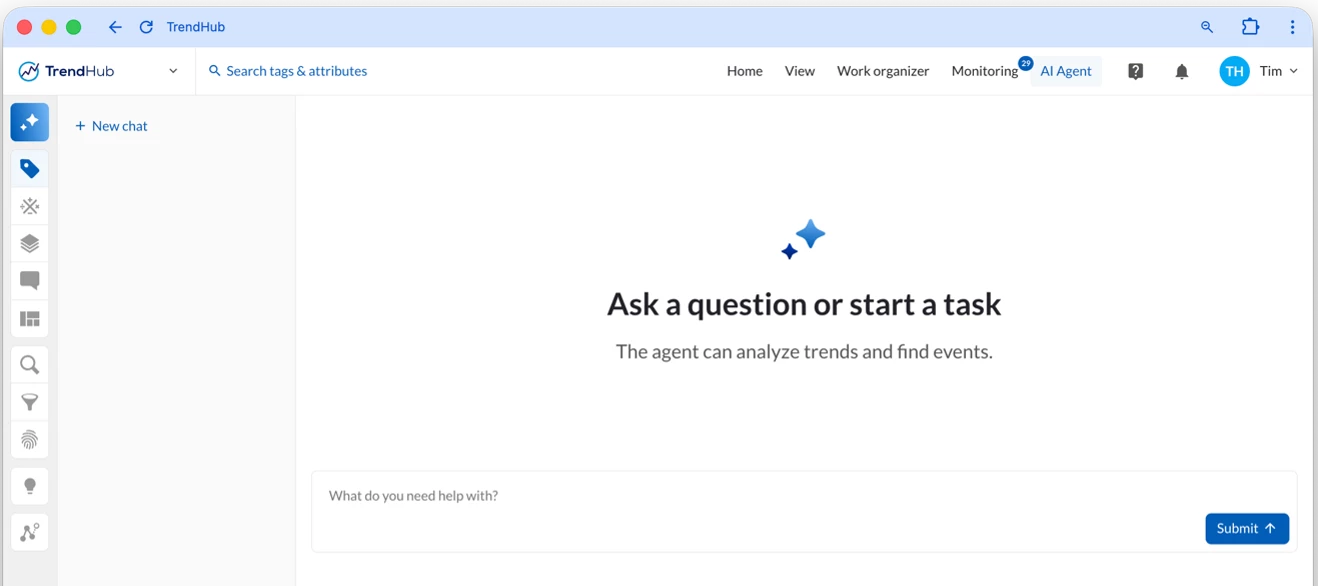



TrendMiner 2026.R3.0 brings AI closer to the work you’re already doing in TrendMiner, plus a set of improvements you’ll notice in your daily work.
What’s new?
- TrendMiner Agent. A native AI assistant that runs inside TrendMiner. It sees what’s on your screen, adds tags to your TrendHub view, runs searches, and answers “how do I” questions. It connects to the LLM provider your organization already uses, so your data stays inside your company landscape.
- 3 new MCP tools. Your AI assistant (Copilot, Claude, or ChatGPT) can now discover context types, pull context item details, and list monitor triggers. You can ask it something like “which alarms fired on Reactor 3 last week?” and get a direct answer.
- Logarithmic scale in TrendHub. When a tag’s values span several orders of magnitude, the full range stays readable. This works across trend, scatter, and histogram views. Zero and negative values are still plotted.
- Query Designer for Generic O/JDBC. Admins can build, test, and preview each query on its own. You can also save a data source as a draft before activating it.
- Faster context data at scale. Context data now uses yearly partitions, so queries on recent data stay fast as your history grows. New integration endpoints also let tools like Power BI and Databricks sync only what has changed.
Introducing a new license format
After you upgrade to 2026.R3.0, you’ll need to install a new license format before moving to 2026.R4.0 (the next release). We’ll send new licenses to all customers before this next release, so you won’t get blocked on this.
Want to try the Agent or MCP Server? Get in touch with your TrendMiner contact to get started.
Read the full innovation highlights in the Release notes.
Join our release webinar to learn more about the new fuctionalities: