


Get tips, insights, and strategies to achieve your goals
Recently active
Hello 🖐In Part 1, we got to know Yves and looked back on his journey with TrendMiner and our Community. Yves is Director Technology at Valero Energy, the largest independent refiner in America, based at their San Antonio headquarters. He’s responsible for some key applications related to Process Key Performance Indicators (KPI) monitoring, engineering documentation management and analytics with TrendMiner.Now let's look together at the lesson Yves believes every process expert should know and his advice for the next generation.Your LegacyWhat’s the achievement or moment you’re most proud of in your career?My unique background allowed me to be at the service of others, like Process SMEs, and I am proud that my work helps them with their day-to-day work and make them shine.What’s the most valuable lesson you’ve learned that you’d say “every process expert should know this”?This may sound odd, but I believe that there is a very high value in documenting your work and sharing knowledge.
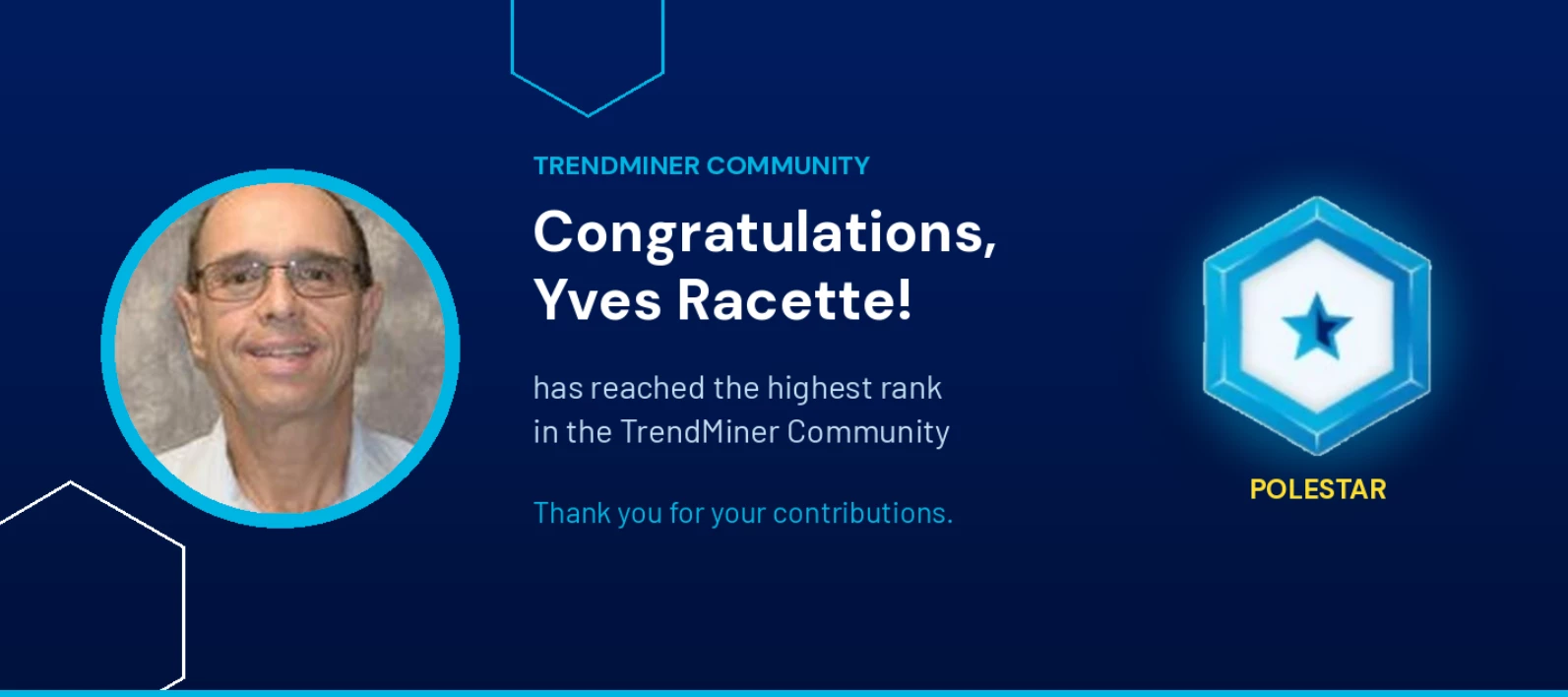
Hello 👋 We want to take a moment to recognize one of our most valued Community members: Yves Racette, who has reached Polestar🌟, the highest rank in our Community. 🎉 Yves is Director Technology at Valero Energy, the largest independent refiner in America, based at their San Antonio headquarters. He’s responsible for some key applications related to Process Key Performance Indicators (KPI) monitoring, engineering documentation management and analytics with TrendMiner.As Yves prepares to retire, we did an interview with him to capture his journey, the lessons he’s learned over a full career as a process expert, and his advice for the rest of us. Let’s Get to Know YouCan you tell us about your background?I graduated as a Chemical Engineer from Laval University in Quebec City, Canada. I had an unusual career for a Chemical Engineer as I worked in Automation, with Data Historian systems and in software development during my entire career.What’s your role day to day? I typically manage u
"How do I prove the ROI of TrendMiner?"The value is usually there. But it lives in people's heads, in emails or in reports that have gone lost in Sharepoint. When the business asks for proof, you end up reconstructing instead of reporting.In the latest Success Series webinar for Strategic stakeholders, our CSM Lead @Tommy Peters presented a framework to capture value continuously. It's a lightweight system with three layers, explained below… Curious to see the full webinar? Check it out here: Layer 1: Capture at the moment of workWhen an engineer finishes a meaningful piece of analysis, they report four things right then:What problem it addresses How big it is roughly Who should validate it When it was completed.Don’t ask them to make a full ROI calculation, just capture enough context to build on later.Give the size scale some shape (e.g., Large means it affects a full production line or represents an estimated annual impact of €50,000 or more). Use whatever you already have: a field
Hello,Our third TrendMiner Success Series Strategy webinar's recording is now available! In this session, we walked through the three stages of value maturity we see across our customer base, the behavioural reasons most programs stall in stage one, and a three-layer approach you can start applying next week to catch value at the moment it happens, harvest it as a team, and build a portfolio your sponsor can defend.Watch the recording:
Here’s a question that pops up regularly in customer meetings, usually 2 to 3 years in:"What value are we actually getting from TrendMiner?"It's a fair question. And it almost always leads to a second one that's harder to answer:"What value were we hoping to achieve?"When nobody has a clean answer to that second question, people start listing anecdotes, pulling up usage numbers, trying to build a case on the fly. It feels defensive rather than confident. Even when the results are real… The fix is actually simple: a one-line vision. One sentence, written before the program gets started (or now if you don’t have one yet), that answers: what are we trying to achieve, for whom, by when. Bayer called it: "Uncover hidden potential to initiate process improvements directly on site." Ten words that gave the program lead a filter for every use case decision and the sponsor something concrete to fund and protect.From there, the use cases selected themselves. A root cause analysis of viscosity pr
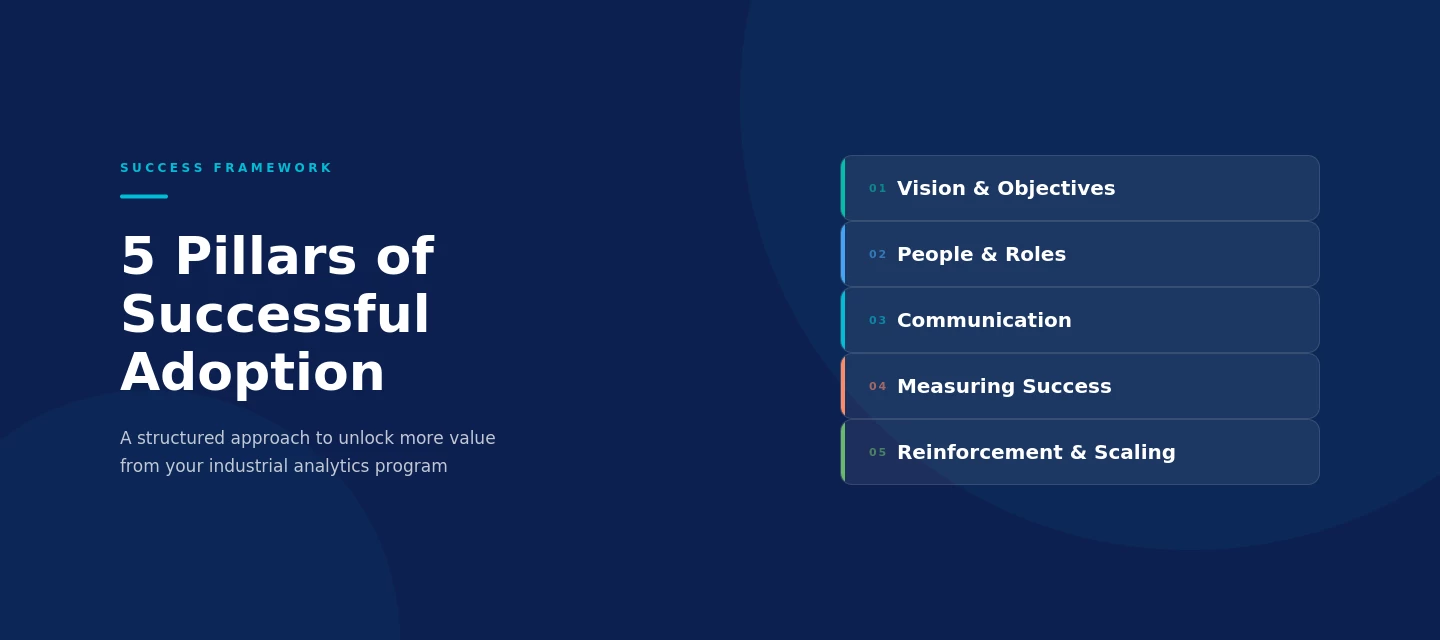
After 10+ years of seeing TrendMiner implementations succeed (and sometimes not), one thing stands out: our most successful customers share the same characteristics. That observation, combined with change management principles, is what led us to build the TrendMiner Success Framework.You're already using TrendMiner to solve real process challenges. The question is how much more value is within reach. Across different implementations, we consistently see the same areas where untapped potential lies:Adoption stays limited to a handful of enthusiasts Value remains anecdotal rather than quantified Best practices live in the heads of individuals Momentum is hard to sustain after initial onboarding Success at one site doesn't spread to others The program isn't clearly connected to company strategyThese are not problems, they are opportunities. And the framework is built to address these... The 5 pillars of successful adoption 1. Vision & ObjectivesA clear vision converts a technology pur
Hello,Our second TrendMiner Success Series Strategy webinar's recording is now available! In this session, we introduced a practical framework built around five pillars that drive successful analytics programs: vision and objectives, people and roles, communication, measuring success, and reinforcement and scaling. For each pillar, we shared best practices from the most successful TrendMiner customers.Watch the recording: https://vimeo.com/1177390498?share=copy&fl=sv&fe=ci👉 We also created a self assessment tool to help you to understand your current maturity level. By answering 25 questions across 5 key pillars you can get your maturity profile, a visual diamond chart, and tailored recommendations in about 5 minutes. Got questions about this webinar? Let us know in the comments below! 👇
As we approach the end of the year, it is the perfect moment to reflect on some of your company’s successes around data analytics, recognize the ongoing challenges, and define a few meaningful goals for the year ahead.To support you in this planning, consider setting up time with your Customer Success Manager. We’d be happy to help you define meaningful goals and identify areas of TrendMiner that you and your teams could benefit from using at a deeper level. Here are some examples:Update your dashboards - The latest versions of TrendMiner have a lot of new functionalities that will certainly give a new look to your dashboards and can help put more relevant information in front of operators, engineers and managers that closely follow key processes in the plant. Connect to more data sources - With an always expanding data landscape, having access to the right data and the right time can really boost your process troubleshooting capabilities. We’d be happy to talk to you about the possibi
Hi,This session shows how TrendMiner helps engineers at Bayer troubleshoot faster, understand process behaviors better, and make smarter decisions across the plant, all explained through real examples shared by Mazie Foret.One highlight was how TrendMiner helped solve a cooling difference that had confused the team for over 20 years.Bayer’s team also uses TrendMiner for other monitoring tasks like: Meter reliability Energy management Centrifuge overflow generation Emissions reporting A cool fact: One of these monitors was actually set up by Mazie’s intern, which shows how simple and user-friendly TrendMiner really is.Curious to learn more? Check out the full recording!
Hi everyone,In this session, Matthew Brantl ( @Matt) shared insights into how Nestlé Health Science optimizes their production processes using TrendMiner. Here are some of the key highlights he discussed: CIP optimization Detecting fouling in critical heat exchangers Verifying tank load cells Using ContextHub and DashHub for monitoring and visualization Check out the full recording to dive deeper into these use cases👇
Hi everyone,In this session, Bita Fillipi @bitafillipi from BASF shared how they use TrendMiner dashboards to monitor boiler efficiency, optimize fuel usage, and reduce CO₂ emissions.Even small adjustments in boiler operation can lead to significant fuel savings, lower emissions, and costs reductions.Watch the full recording below and see how TrendMiner makes a real impact! 👇
Hi 👋🏻Here you can find Kuraray’s presentation at TrendLab 2025 Americas.In this session, Kyle Tillman shares his perspective on how he uses TrendMiner at Kuraray. He also talks about how TrendMiner can support different roles, including field technicians, board technicians and shift supervisors.The presentation gives a clear view of how TrendMiner fits into daily work and how it helps teams make better, faster decisions.The recording 👇
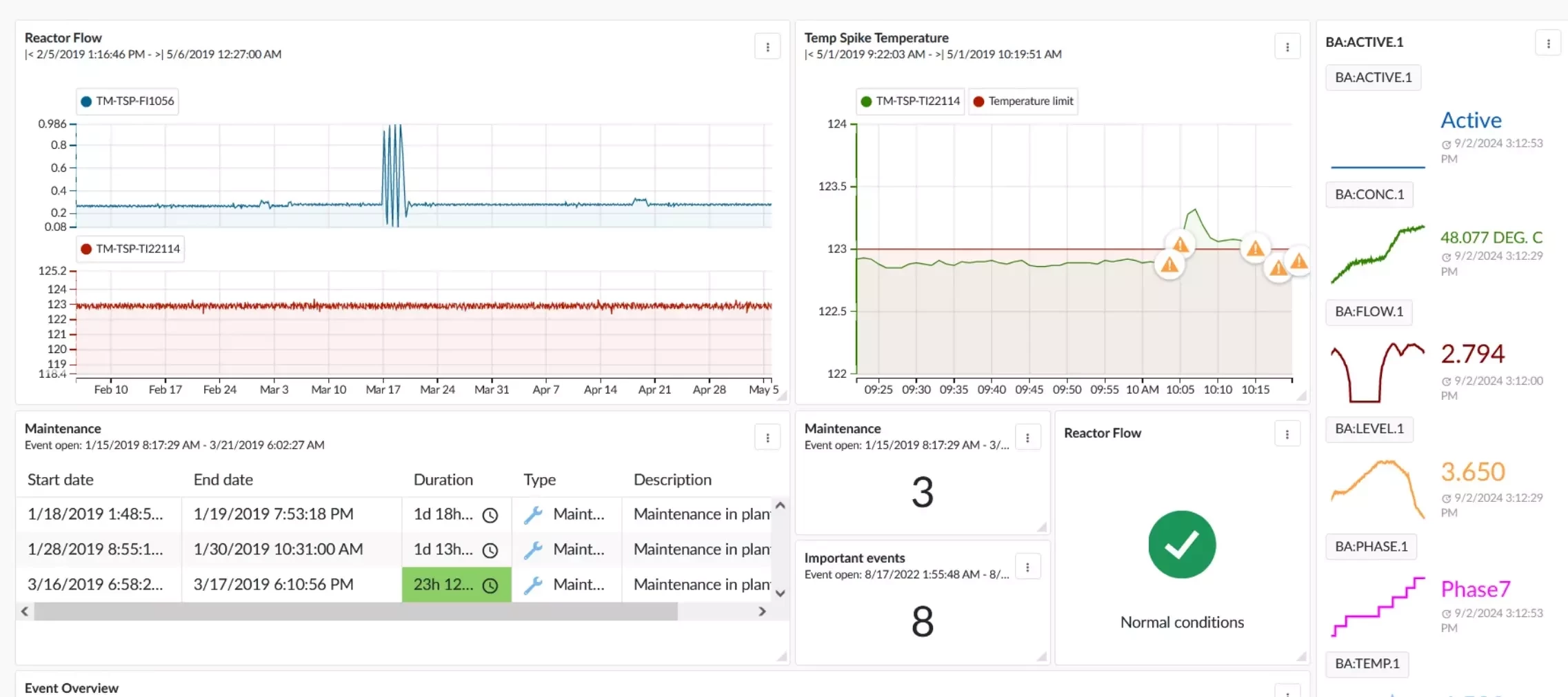
This article comes from a surging trend we see here at TrendMiner: Successful TrendMiner customers have adopted DashHub and dashboards across different teams and departments. Why? Dashboards bring together the work done by key users in the TrendMiner platform, ranging from root cause analysis to operations monitoring and reporting.The end goal is to utilize the knowledge from process experts, combine it with process data into helicopter views that drive process improvements. Have you adopted DashHub in your daily operations and/or reporting workflow? If so, we’d be happy to hear about it in the comments! If you’re not quite there yet, this overview of previous community posts can help you get started: Create an asset overview dashboard: https://community.trendminer.com/use-cases-46/keep-plant-managers-informed-with-a-unit-overview-dashboard-105 Dashboard building blocks: How many times did X happen in a selected timeframe?: https://community.trendminer.com/use-cases-46/daily-counte
Following up on my last post “High Energy Costs Driving New Use Cases for TrendMiner”, I’m excited to share our latest content updates focused on utility and cleanroom performance optimization. In industrial environments, utilities and facility systems - power, heating/cooling, water, air, and waste management - are the backbone of production and can represent up to 10% of total product costs. Key challenges:⚙️ Maximizing asset reliability and avoiding costly downtime🌱 Optimizing energy use for sustainable production🧼 Preventing fouling and improving maintenance efficiency📊 Reporting on sustainability and emissions performance How TrendMiner helps:🔹 Data-driven energy optimization for more sustainable operations🔹 Predictive insights to prevent unplanned downtime🔹 Continuous monitoring & reporting for compliance and transparency Curious how our customers achieve these results?👉 Explore our new page: “Industrial Analytics for Utilities & Facility Optimization”and discover
Hello everyone! 👋In this TrendLab 2025 Europe presentation, our VP of Customer Success Frederick Motte and Ben Schulze (@Ben) from Bayer share their experience working together on data integration. They explain how they brought additional data sets into TrendMiner and how this collaboration helped create real value.🎬 Watch this session to hear why context data matters, how they approached connectivity and implementation, what worked well, the lessons they learned, and the results and next steps of this journey.
Hello,In this TrendLab 2025 Europe presentation, Ruud Timmermans (@ruudtim) from Nobian describes his journey managing TrendMiner from the IT side.He talked about the balance between upgrades, governance, and user engagement.Ruud’s story is packed with honest and practical lessons that many of you can relate to.🎬 Watch his presentation to hear what worked, what didn’t, and what he’d do differently.
Here’s an inspiring session from TrendLab 2025 Europe 🎬In this presentation, Matthijs Geerse (@MatthijsG) from Huntsman shares how their team uses TrendMiner for process health monitoring, from defining what a “healthy process state” means to creating different dashboards that help operators, engineers, and experts collaborate better.💡 You’ll discover: How Huntsman structured health monitoring across teams Real TrendMiner use cases from their sites How they apply Event Analytics and Parallel Coordinates How their monitoring approach evolved with TrendMiner’s data-driven capabilities 👉 Watch the full presentation here:
Time and again, one of the key benefits TrendMiner users share is the ability to receive alerts via email, text, or simply historize them for later review and easy analysis. But when you're in the field, away from your desk, dealing with an issue, those conventional alerts can be siloed and hard to track as a team. In one of my recent conversations with a group of users, they shared they were sending alerts directly to Microsoft Teams. This is a neat collaborative approach that perfectly aligns with TrendMiner's focus on making collaboration easier and brings your notifications right where your team is. Here are the simple steps you can take to set up this integration: 🛠️ Setting Up TrendMiner Alerts to TeamsSet up a dedicated Teams channel for the project or area of interest. (See here for how to create a channel in Teams.) Obtain the channel email address: Select "More Options" next to the channel's name, and then select "Get email address." Copy the email address. Configure a mon
💡 Did you know you’re already saving money every time you use TrendMiner?When most people think of TrendMiner, they think about the insights and optimisations it enables for specific use cases. But here’s something many overlook: the software itself is already delivering value from day one. 🔎 How?Every search, every analysis, and every dashboard created in TrendMiner saves time compared to traditional methods. Less time spent digging for data = more time focusing on decisions that matter. 📊 Turning time into numbersWe’ve started calculating what this means in real terms: 🖥️ Every TrendMiner session saves you time that would’ve been spent digging through data the old way. On average, that’s about €40 saved per session (based on ~5% of an engineer’s yearly salary). 🛎 Set up a few monitors? That’s another €1,000 saved by reducing alarm costs and staying on top of your variables. 📊 And those dashboards packed with decision-making info? They can be worth up to €3,000 in savings. ✨
The old saying “Change is the only constant” couldn’t be more true for the TrendMiner platform. With every release, TrendMiner introduces new functionality—driven by valuable feedback from our end users. Each release brings enhancements and fresh capabilities, but with progress comes a natural challenge: the knowledge gap. Users may not always be fully aware of the latest features, or how to best apply them for maximum value.Here are three ways organizations can ensure their teams stay current and continue to extract the most value from TrendMiner:Continuous Learning Build a culture of ongoing learning by incorporating regular knowledge sessions into your team’s cadence. Focus each session on one or two features, ensuring that the team not only learns about them but also understands how to apply them in daily work. Feedback and Knowledge Sharing Sessions Your CSM is one of your strongest advisors. Schedule quarterly sessions with them so they can hear direct feedback from end users. T
My colleague @Charlotte recently shared a great post highlighting various ways to use the TrendMiner Home page. Since then, one of my customers identified a specific use-case that I would like to share here with you:Standardizing Tag Naming Conventions (e.g., Aggregations) in TrendMinerThe Home page can be used to communicate your organization’s preferred naming conventions for newly created tags. Following a consistent naming standard helps ensure that tag names are easily recognizable, making it clear to everyone what type of aggregation each tag represents. Using consistent naming conventions for new tags can have a significant impact as it allows users to easily reuse work already done by others.
We're seeing a clear shift:🛠️ Customers are now applying TrendMiner not just for production, but increasingly for utilities like steam, cooling water, HVAC, and especially cleanrooms. Why Cleanroom Monitoring?💡 Cleanrooms can account for up to 50–75% of total facility energy demand💨 Inefficient operations & redundancies: air systems often run at full power - even when not needed⚠️ Energy peaks are detected too late📋 Compliance pressure (GMP, ISO, FDA) Key Challenges: Tons of data, but too few insights• 🐌 Root-cause analyses remain time-consuming• 🚫 Limited live monitoring & alerting• 🧱 Data silos block collaboration Smarter Monitoring with TrendMiner💡 No-code time-series analytics: data-driven decision-making cuts analysis time from days to minutes📈 Analyze years of historical data in seconds to spot trends and inefficiencies🔍 Real-time insights into asset performance and critical parameters like airflow, temperature, pressure, and particle count⚠️ Detect anomalies &a
Looking to get more out of TrendMiner in the second half of the year? Here are some key goals our most successful customers have set for themselves, along with concrete steps you can take now to get them moving... ✅ Drive Adoption & Engagement Survey your user base – Run a quick poll or informal interviews to uncover training needs, knowledge gaps, and barriers to wider use. Make sure to act on their feedback! Promote TrendMiner Coaches – Identify 2-3 power users and empower them to support others with a toolkit including templates, tips, and mini training sessions. Create internal buzz – Share wins, dashboards, and success stories in team meetings or internal channels to keep TrendMiner top of mind. 📊 Automate Routine Reporting List your top 3 manual reports – Ask your teams which reports are eating up time. Then work on automating them through TrendMiner views, searches, context items and dashboards. Embed reports where work happens – Link dashboards in shift handover too
When rolling out an advanced analytics platform like TrendMiner, teams often focus intensely on technical implementation while unintentionally neglecting the human side of adoption. Those unspoken concerns and undiscussed challenges among users can silently undermine your entire initiative, eroding potential ROI and slowing adoption to a crawl. By proactively engaging in difficult but necessary conversations, organizations can accelerate adoption, strengthen alignment, and foster a true culture of continuous improvement.Here are three compelling reasons to embrace tough conversations with all stakeholders - from pioneers to end users: Prevent Costly Late-Stage Resistance Unaddressed concerns grow into passive resistance with measurable business impact Teams naturally revert to familiar methods when their struggles go unheard Early dialogue protects your investment by addressing issues before they become roadblocks Surface Hidden Barriers to Success Frontline teams pos
Hello 🖐🏻Here is the recording of Sascha Hartung’s presentation at TrendLab Europe 2024. Synthos, a leading chemical producer specializing in polymer-based products, faced a challenge in managing their data. With production and failure data stored in SAP and Excel across multiple factories, as well as the need to gather maintenance data, their processes were highly manual and time consuming.Their goal was to consolidate these efforts into one platform for all their needs (analysis, asset performance management, reporting, operation management, monitoring, and dashboarding). During their testing phase with TrendMiner, Synthos saw its potential to streamline these tasks efficiently.Sascha Hartung @Sascha from Synthos shares how they’re transforming these manual, siloed processes into an integrated solution using TrendMiner. Watch his presentation for inspiration on how data analytics can revolutionize industrial workflows and make you save time.Enjoy!
Already have an account? Login
No account yet? Create an account
Enter your E-mail address. We'll send you an e-mail with instructions to reset your password.