


Watch our past trainings, from beginner basics to advanced techniques
Recently active
New to TrendMiner? Ready to start analyzing your process data more easily and faster than ever before? Here's a learning path to quickly reach first value with our platform and to gradually build your TrendMiner knowledge and ability: In-App Onboarding FlowUpon your first login, you can follow the in-app onboarding flow. This guided process is designed to familiarize you quickly with our platform's functionalities and capabilities which will improve your work flow. If you prefer, you can access the in-app guides at any time via the Help Center.Onboarding EmailsYou'll receive a series of onboarding emails that contain valuable information and tips to help you start your journey with TrendMiner. However, please note that your company might have disabled these resources, so ensure to check with your admin if you don't receive them.Walk through the TrendMiner Basic GuidesThe bite sized short Basic Guides videos help you understand how to use TrendMiner in your daily work by focussing on pr
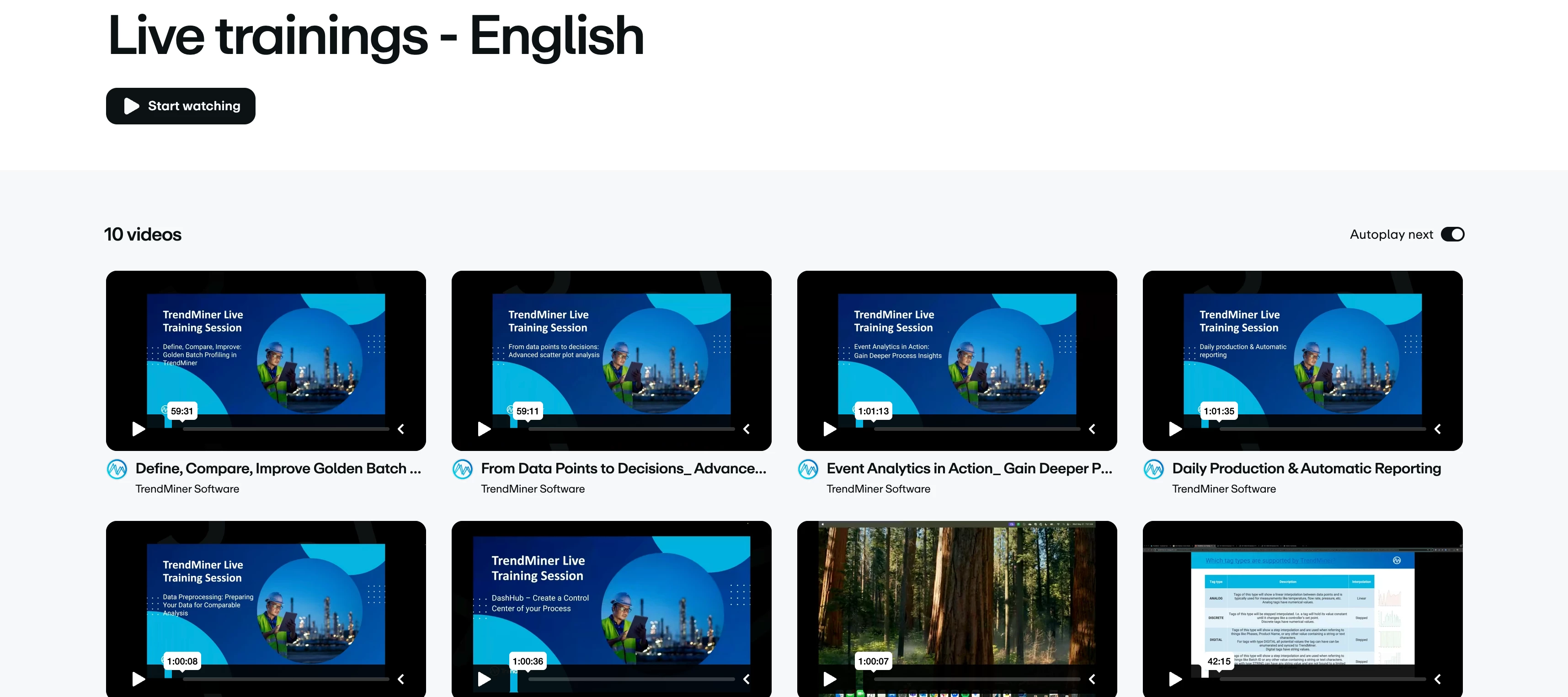
Recordings of our recent advanced trainings are available via the following Vimeo playlists:English GermanHere's an overview of the available recordings:Define, Compare, Improve: Golden Batch Profiling in TrendMiner [English, German] From Data Points to Decisions: Advanced Scatter Plot Analysis [English, German] Event Analytics in Action: Gain Deeper Process Insight [English, German] Daily Production & Automatic Reporting [English, German] Data Preprocessing: Preparing Your Data for Comparable Analysis [English, German] DashHub – Create a Control Center of your Process [English, German] Statistical Reporting Tricks: Track the Danger of Climate Change [English, German] Mastering Tag Types in TrendMiner – Tips, Tricks & Hands-On Exercises [English, German] Value Based Searches – Tips & Tricks [English, German] Data Importing - Everything you need to know [English, German]
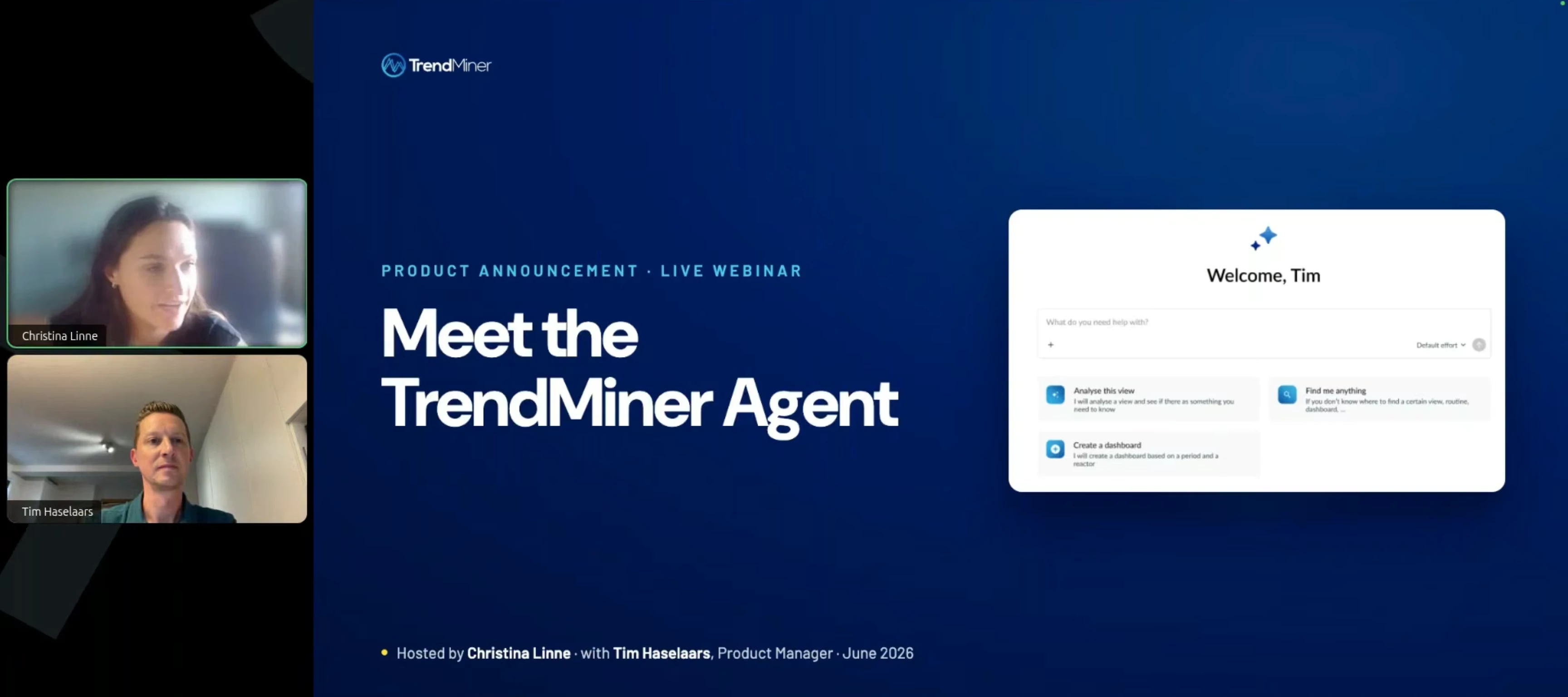
Yesterday, Christina Linne (Head of Product Marketing) and Tim Haselaars (Product Manager) hosted a webinar introducing the TrendMiner Agent, our native in-application AI capability. If you missed it or want to revisit it, the recording is available below. What's covered The session walks through what the TrendMiner Agent is, how it's built, and what it looks like in practice:The foundation: how the agent combines an LLM of your choice, TrendMiner's analytics tools, and your historian data into a single, orchestrated experience native to the TrendMiner interface Agent skills vs. agent tools: why giving an AI access to your data isn't enough, and how process engineering expertise is encoded into the agent's reasoning Live demo: a combined cycle gas turbine use case, from a rising heat rate anomaly through root cause analysis to economic impact quantification Routines: the companion feature that turns a one-time agentic analysis into a repeatable, structured workflow How this differs fro
Hi! 👋The recording of our May 2026 live training Define, Compare, Improve: Golden Batch Profiling in TrendMiner is now available! 🎉In this webinar you can learn how to define your ideal process profile based on multiple calculations, analyze deviating process values, and detect and track deviations from the ideal profile. Perfect for users who want to establish best-practice baselines and drive consistent process performance.Recordings:German EnglishSlides:German English
Hello 👋,We had the 2026.R1.0 release webinar yesterday. Thanks to everyone who joined!For those who missed it, here are the recording, slides and full release notes:📽️ Watch the recording 📊 Check out the slides📄 Full release notes Share Your Product Ideas with usFunctionality requests can be submitted at https://community.trendminer.com/ideas Requests are reviewed regularly by the product team. Several features in this release originated from Community submissions. Here is the summary of the webinar: Collapsed Plotting When a filter is active, users can now collapse filtered-out time periods. The remaining data is stitched together and scaled to fill the full chart area. Gap indicators mark where data is non-continuous. This view also applies to Dash Hub tiles. Context Field Configuration Administrators can now configure individual context fields per type with the following options: mark a field as required, set a field to read-only, define field display order, set decimal precis
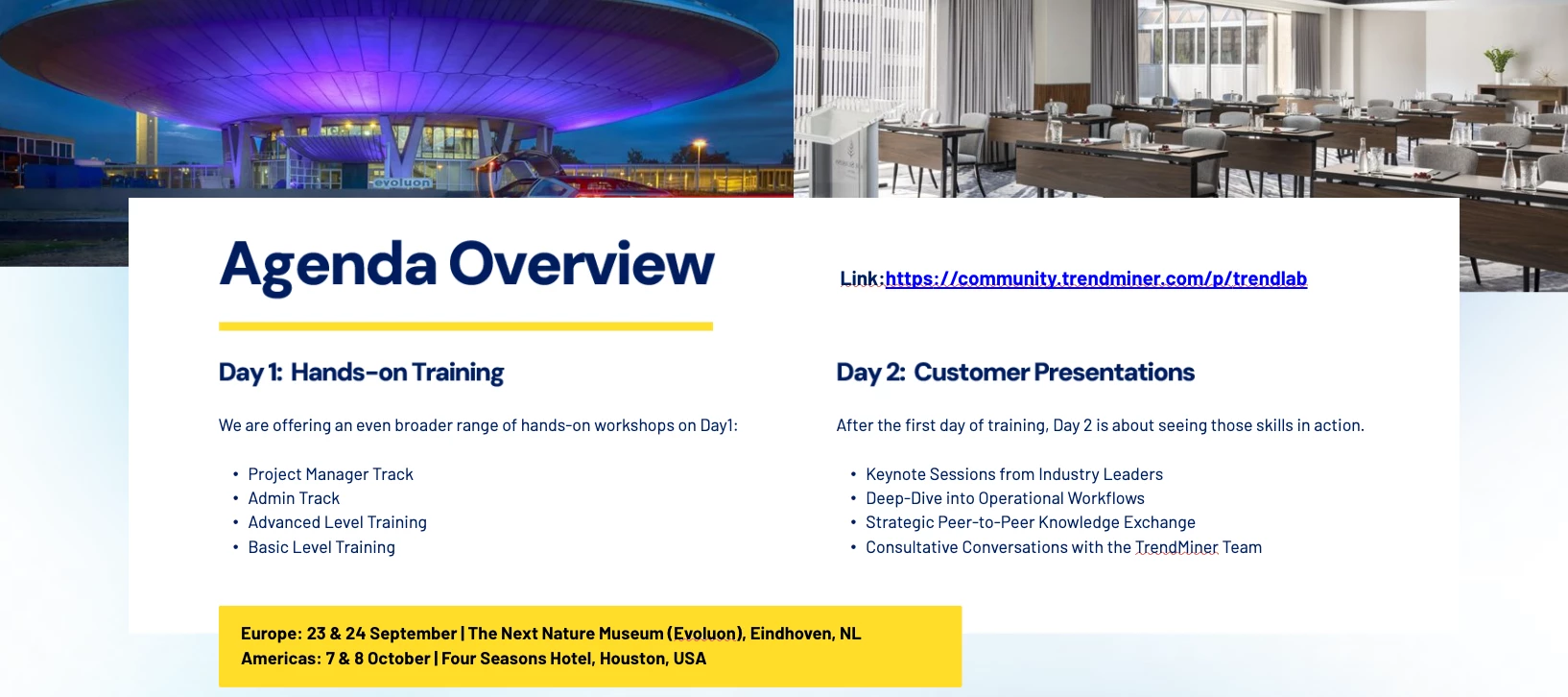
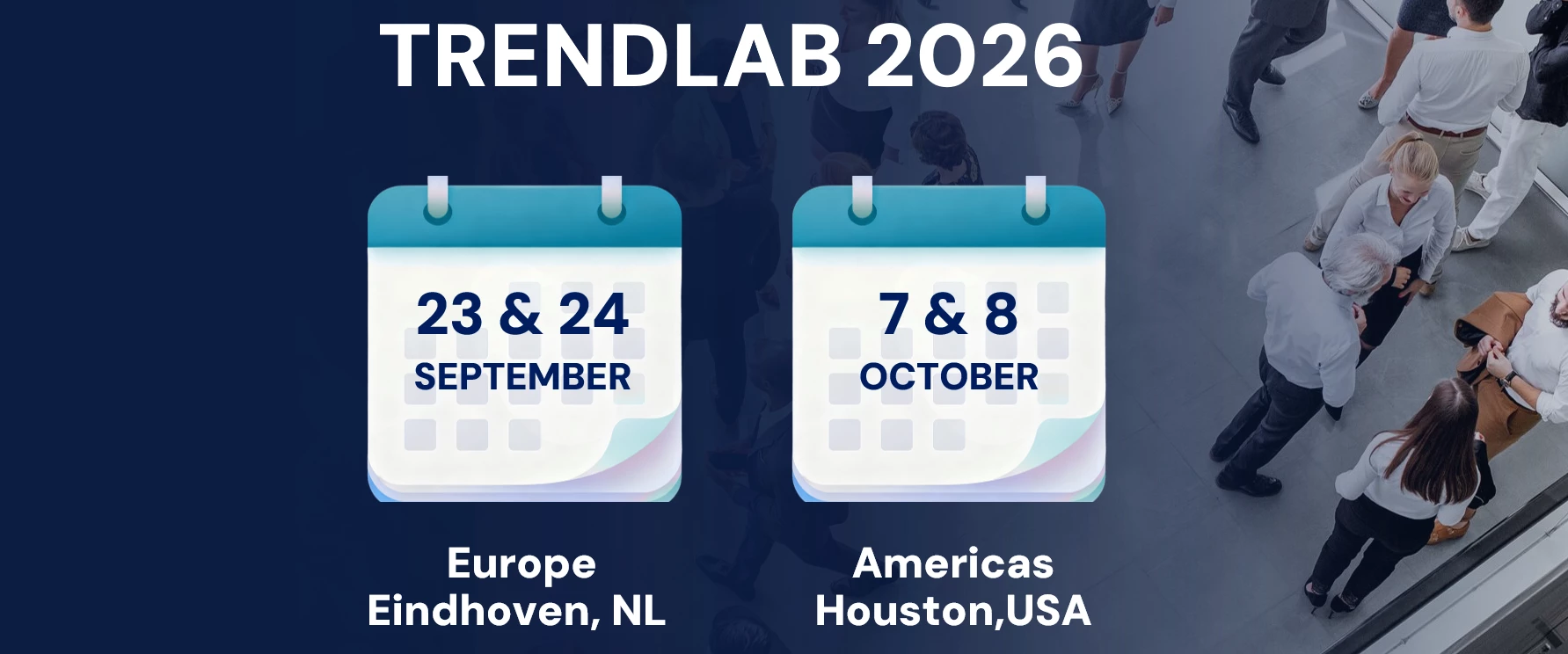
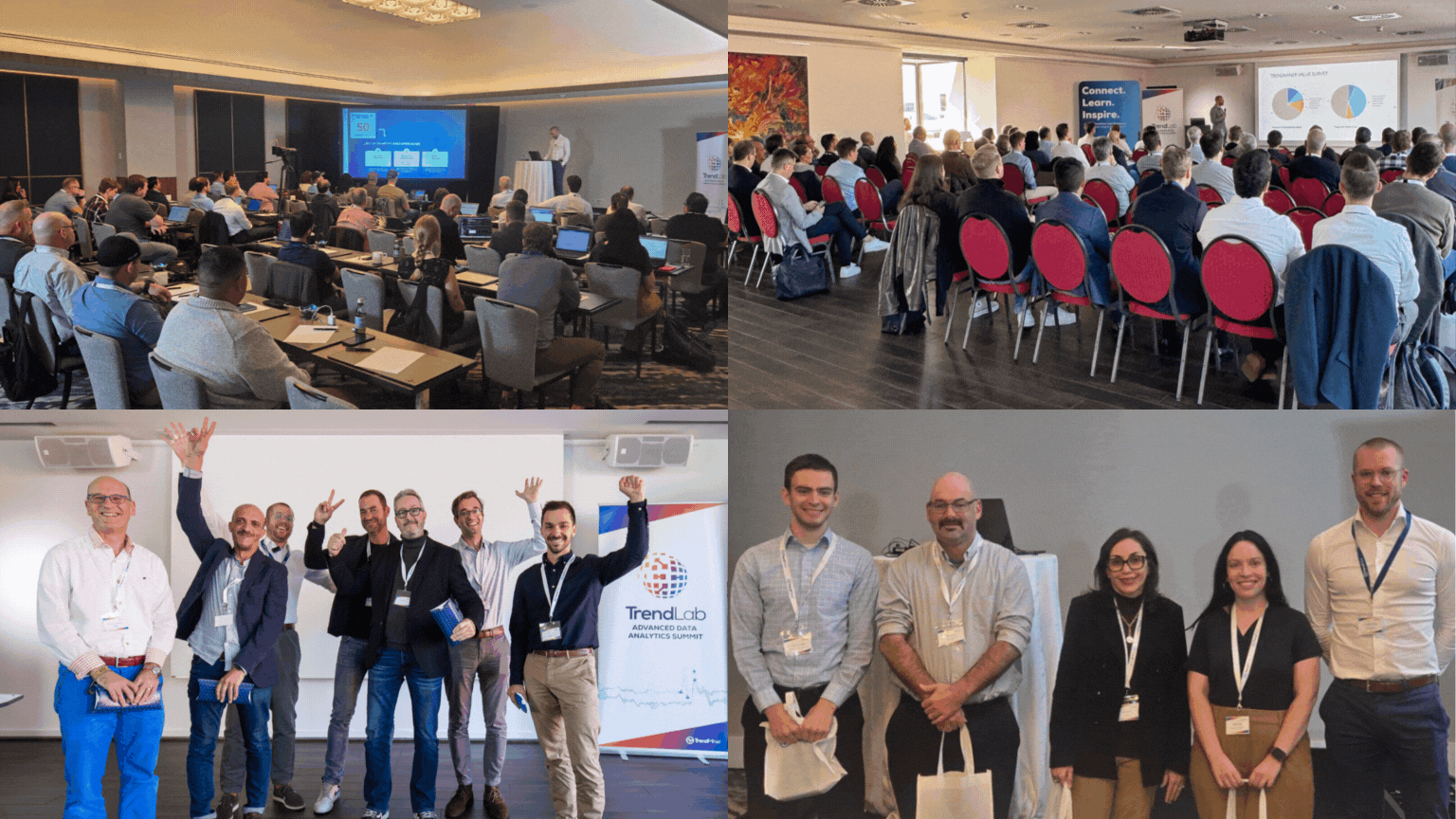
Hello,We are bringing back our dedicated Admin Training for TrendLab 2026. This training is a unique opportunity to learn more on how TrendMiner is working under the hood and how you as an admin can support your users to get most out of TrendMiner.What can you expect from this training:Learn how to configure and fine tune your instance for optimal performance Get to know the latest improvements and features and what's coming up Learn basic and more advanced troubleshooting Share experiences with us and other participants and get detailed feedback on all your technical questionsThis session is aimed towards TrendMiner application and system administrators with at least a basic knowledge of networking, API's, Linux, SQL, …Note: If you joined the Admin training at TrendLab 2025, we recommend exploring our other trainings to learn new skills. 👉 TrendLab 2026📍 Eindhoven (Europe): Sep 23 & 24📍 Houston (Americas): Oct 7 & 8Register today: https://community.trendminer.com/p/trendlab
Hello,At TrendLab 2026, we are introducing another new training specifically for Project Managers.On this session you will get TrendMiner Impact Playbook and see proven strategies from our leading customers on how they successfully scaled TrendMiner and delivered measurable business value.🗓 Here is the agenda for this training:MorningWelcome, coffee & introductions What separates high-performing analytics programs from the rest Why some programs grow and others stall — and the five decisions that make the difference Building a vision people actually follow Connecting TrendMiner to business priorities that leadership cares about Getting the right people in the right roles The champions, sponsors, and enablers high-performing programs have in common Keeping TrendMiner visible and momentum alive Communication strategies that sustain engagement long after go-liveLunch & Peer NetworkingAfternoonProving the value your business needs to see Moving beyond usage metrics to business im
Big news for our Community!For the very first time, we are introducing a dedicated Basic Training on Day 1 of TrendLab 2026! Join this entry level training and get kickstarted on your Industrial AI and Analytics journey with TrendMiner.Why this mattersInstead of only functionality tour, we will focus on performing essential, high-value tasks using real-life operational examples. You can expect clear takeaways you can apply the same day. What you’ll get: Fundamentals: Get acquainted with the basic concepts and terms. AI Agent: Learn to leverage the powerful new AI capabilities, and see how your first steps in TrendMiner immediately lead to high-value actionable outcomes. Everyday workflows: Step-by-step guides for the essential high-value workflows. Real Life Use Cases: Short exercises where you will produce usable insights during the session. Practical tips: Best practices to avoid common mistakes and use TrendMiner more efficiently. 👉 TrendLab 2026📍 Eindhoven (Europe): Sep
Hello,Transcend self-service data analytics and learn how TrendMiner becomes a true platform for scaled out solution packages.In this session, you will combine the powerful AI capabilities and Python-based customization options to build a smart asset health dashboard. You will then use those same tools to roll out that dashboard at scale, automatically replicating it across multiple assets. Session Agenda: Tooling: Combining TrendMiner’s embedded AI agent with Python‑based customization. Development: Hands-on build of a smart asset health dashboard. Deployment: Leveraging automation to roll out the dashboard across the entire asset fleet. Discover how your creativity becomes the only limit to what you can build in TrendMiner.👉 TrendLab 2026📍 Eindhoven (Europe): Sep 23 & 24 📍 Houston (Americas): Oct 7 & 8Why should you join this training day? Because nothing beats learning directly from experts, in-person, with a community of peers who face the same challenges as you.Regi
Hi! 👋The recording of our April 2026 live training From Data Points to Decisions: Advanced Scatter Plot Analysis is now available! 🎉This training is about Advanced Scatter Plot Analysis, and you can learn how to analyze heat‑exchanger behavior, identify operating areas, compare different time ranges, and visualize relationships through flexible curve drawing.Recordings:German English Slides:🇩🇪 German🇬🇧 English Got any questions? Share them with us in the comments below! 😊
Hello! 👋The recording of our February 2026 live training Data Preprocessing: Preparing Your Data for Comparable Analysis is now available! 🎉With this training you can learn practical data preprocessing techniques to ensure reliable, comparable analyses and enable effective troubleshooting. Topics include preparing comparable data sets, using filters and the Tag Builder for root cause analysis, reducing noise and outliers, and filtering data by time ranges or conditions. Recordings:🇩🇪 German🇬🇧 English Slides:GermanEnglish If you have any questions, you can write them in the comments below 😊
Hello! 👋The recording of our November 2025 live training Daily Production & Automatic Reporting is now available! 🎉With this training, you will learn how to optimize your production monitoring and reporting by tracking daily production variables in multiple formats and automatically generating shift reports. This will help you streamline your reporting process, ensure accurate data capture, and keep your team informed with minimal effort.Recordings:GermanEnglishHandoutsGermanEnglishWe hope you found this training session informative and beneficial! Your feedback is valuable to us, so let us know your thoughts or questions in the comments. 🙂
Hi everyone,You can now watch the recording of the TrendMiner 2025.R3.0 release webinar!This release helps make quicker decisions, analyze data with more detail, and see process health more clearly.📑 TrendMiner 2025.R3.0 Webinar SlidesFor more detailed information, you can read the Release Notes.🎥 Recording:
Hi everyone,You can now watch the recording of the TrendMiner 2025.R2.0 release webinar!This release introduces smarter collaboration, improved usability, and stronger performance across the board. 📑 Slides: TrendMiner 2025.R2.0 Webinar Slides🎥 Recording: Let us know your thoughts in the comments below! 🚀
Hello! 👋The recording of our September 2025 live training DashHub – Create a Control Center of your Process is now available! 🎉DashHub is your central control center where you can keep track of multiple aspects of your process. Learn how to create a personalized dashboard to count specific events, analyze their distribution over time, monitor the current values of your key process variables, and visualize their correlations. In addition, you can enrich your dashboard by embedding external content for example, a process flow diagram that provides extra insights and enables an even more comprehensive view of your plant.Recordings:🇩🇪 German🇬🇧 English Have any questions? Write them in the comments below 😊
I am making this post to create some more awareness about the upcoming Solution Training at TrendLab 2025.In this workshop aimed towards more experienced TrendMiner users, you will learn to use TrendMiner as a platform for building custom solution packages. Throughout the training, you will follow our solutions approach to set up Overall Equipment Effectiveness (OEE) KPI reporting on one of your own batch or continuous processes. Our team of TrendMiner experts will then guide you through the steps of:Capturing production events (batches, operating periods, …) with a monitor in TrendMiner, and collecting them as context items in a ContextHub view Setting up a Python function that loads the context items from this ContextHub view, and writes loss data to their context fields Capturing regular periods (weeks, months, etc.) as context items with another monitor Setting up a second Python function which calculates the availability, productivity, quality and OEE parameters for these regular
Hello! 👋The recording of our July 2025 live training Event Analytics in Action: Gain Deeper Process Insight is now available! 🎉🎥 Watch now to discover how to:🔹 Analyze batch processes by product type🔹 Identify patterns in continuous operations using the TM_day* tag🔹 Detect key process events🔹 Compare performance across different production days🔹 Turn raw data into actionable insights for optimizationRecordings:🇩🇪 German🇬🇧 EnglishSlides:🇩🇪 German🇬🇧 EnglishHave any questions? Write them in the comments below 😊
Hello! 👋The recording of our May 2025 webinar Statistical Reporting Tricks: Track the Danger of Climate Change is now available! 🎥 Check it out to learn: How to retrieve CO₂ emissions Use the focus chart and statistics table to detect and assess high emission periods Create formulas to define exceeded limits Build value-based searches for high emissions Generate daily emission reports Analyze trends using time tags and advanced calculations Visualize emissions data with a scatter plot Recordings:German English Slides:German EnglishGot any questions? Write them in the comments below 😊Enjoy learning! 🚀
Hi everyone, Here is the recording of the recent TrendMiner 2025.R1.0 release webinar. With this release, we introduce a more streamlined and intuitive analytics experience and enhance efficiency, clarity, and simplicity to make it easier to extract insights and act on your data. Access the Slides: TrendMiner 2025.R1.0 Release Slides Enjoy watching and don't forget to share your feedback in the comments below! 🚀 Recording:
Hello! 👋The recording of our March 2025 webinar Mastering Tag Types in TrendMiner – Tips, Tricks & Hands-On Exercises is now available!🎥 Check it out to learn:How to create stepped formula tags Explore the power of string tags in formulas Learn how to work efficiently with time tagsRecordings:German EnglishAccess the Slides:German EnglishGot any questions? Write them in the comments below 😊Enjoy learning! 🚀
Hey everyone! 👋The recording of our January 2025 webinar Value Based Searches – Tips & Tricks is now available!🎥 Check it out to learn:The importance of a 2x index resolution as the minimum duration for searches 🔍 Tips to identify short peaks in your data more effectively 📊 How to search for events within specific durations ⏱️ Advanced techniques for combining AND/OR conditions to enhance your search results 💡Watch the Recording:German – Wertbasierte Suchen – Tipps & TricksEnglish – Value Based Searches – Tips & Tricks Access the Slides:GermanEnglish Got any questions or need further details? Write them in the comments below, we’re happy to help! 😊Enjoy exploring! 🚀
Hi everyone,Here is the recording of the recent TrendMiner 2024.R3.0 release webinar. This webinar includes new functionalities like;Scatter Plots to Event Analytics, Dashboard Configuration Improvements, Tag Dependencies in The Active Tags list, Plug 'n Play connectivity to Canary HistorianWatch the full recording to learn how these updates can benefit your operations and help you achieve your goals more effectively.You can find the slides here.Watch the webinar recording below:If you have any questions or feedback about the new release, feel free to share them in the comments below.
Our recent release webinar recording is now available. You can watch it to see detailed explanations and demos of the latest TrendMiner functionalities. We encourage you to visit this community post and vote for your favorite functionality or share your feedback in the comments.
At the top of the page, click on the 'Events' button located to the right of the TrendMiner logo to view all our currently active events.Or you can click here to be redirected to the page.
Already have an account? Login
No account yet? Create an account
Enter your E-mail address. We'll send you an e-mail with instructions to reset your password.