Hello, is there a way to navigate to multiple dashboards from a single source, without the use of MLHub?
Example: I have a primary dashboard and on it, I can click a tile and move to a different dashboard similar to how we can transition to TrendHub directly via the tile or trend view.
Best answer by fvandael
Hi @si
You can use the text tile to add links to specific dashboards. To get a link, simply copy the URL from your browser when the desired dashboard is open. This lets you include all the links you need—optionally embedded behind words—and organize them using bullet points or titles for better structure.
You can use the text tile to add links to specific dashboards. To get a link, simply copy the URL from your browser when the desired dashboard is open. This lets you include all the links you need—optionally embedded behind words—and organize them using bullet points or titles for better structure.
Thanks @fvandael. Is there a workaround to having the recipient(s) not needing to be shared access to the other dashboards as well? With the hyperlink in text on the 1st dashboard, all the subsequent links to other dashboards also need to be shared with other users for viewing access.
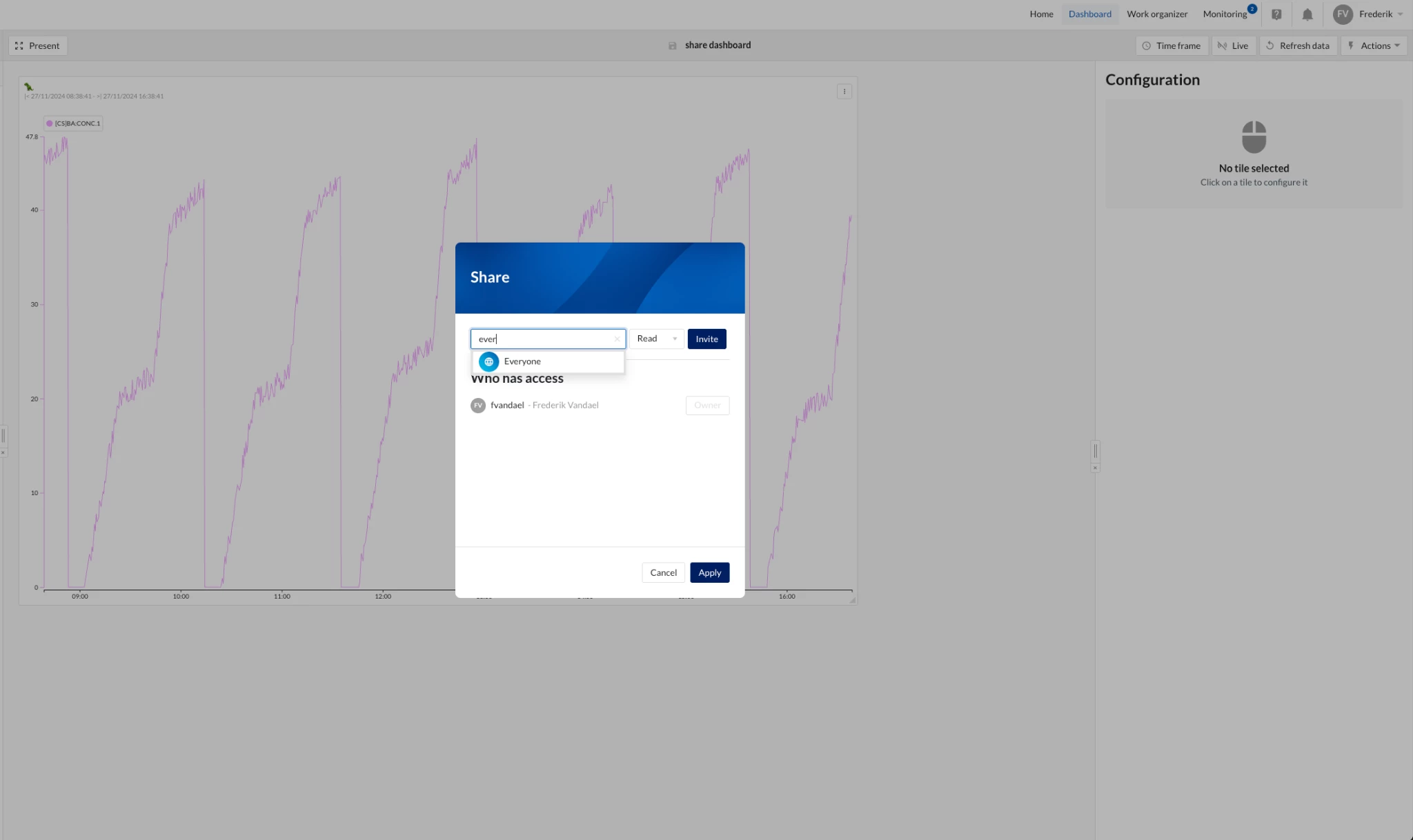
That’s correct — to make sure everyone can access the linked dashboards without individual sharing, you can set the dashboards’ permissions to be shared with everyone (or with the relevant user group). This way, anyone with access to the main dashboard will also be able to open the linked dashboards directly.
To share the dashboards with everyone, open the Share menu and type “Everyone” in the search bar (as shown in the image below). Select Everyone from the list, set the access level (e.g., Read), and click Apply.