Question

DashHub Create a downtime count

  • February 9, 2026
  • 1 reply
  • 14 views

Dear all, 

I would like to display the downtime (in minutes) of one machine in a DashHub view.


I created a Gantt chart that helps me quickly identify downtime on the line and the related root causes. The goal for the operator is to keep the number of events as low as possible.
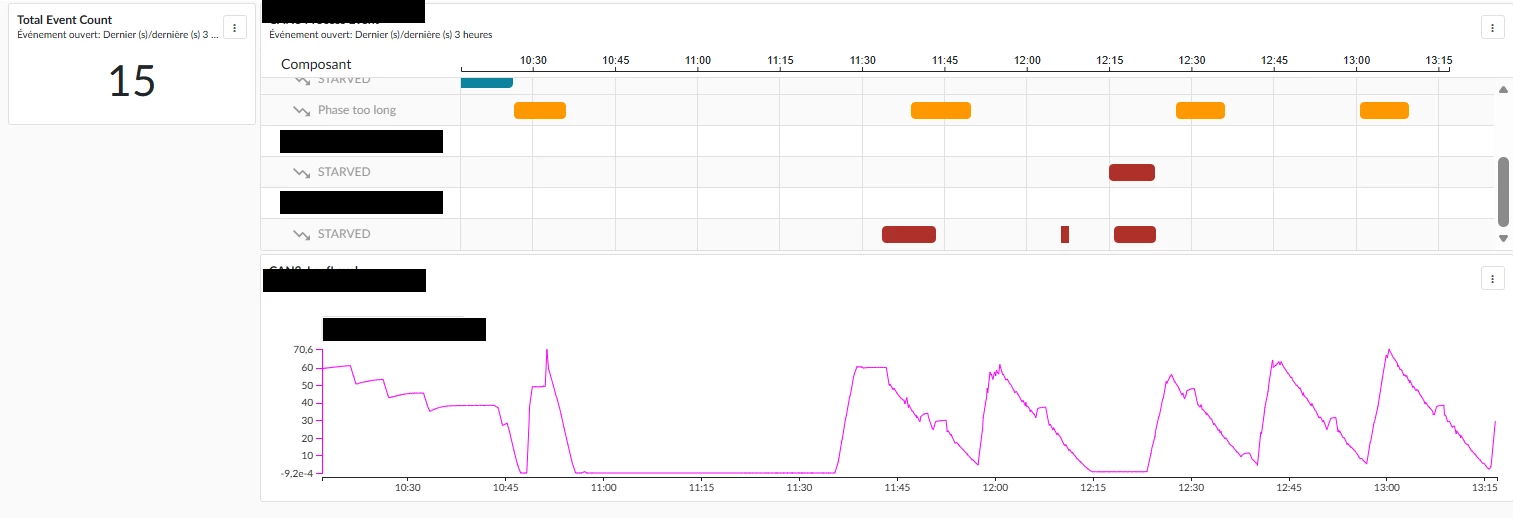
 

Similarly to the Event Count, I would like to have a count of total downtime (in minutes). Since the counter only seems to count ContextItems, I considered creating one ContextItem per minute whenever the machine is stopped. However, I’m not sure how to create a tag that tracks minutes, and I’m also wondering if there is a better approach.

1 reply

eddieh
Employee
Forum|alt.badge.img
  • Employee
  • February 9, 2026

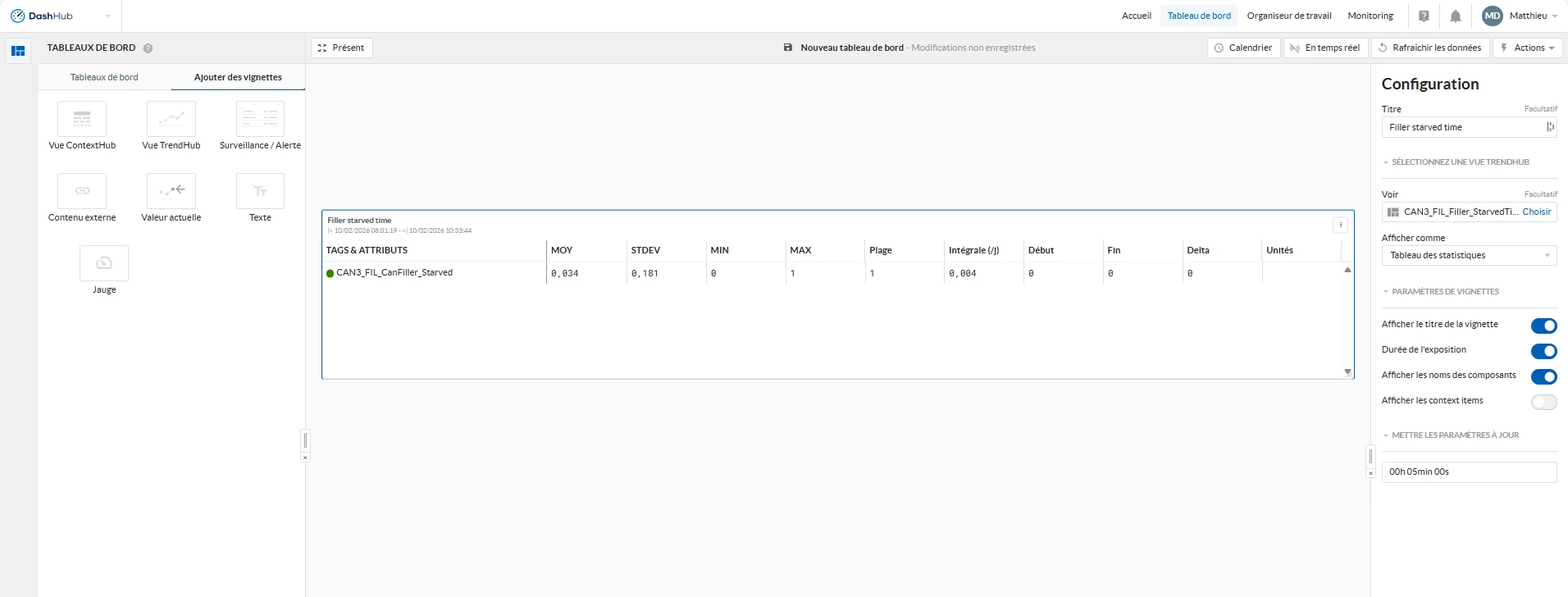
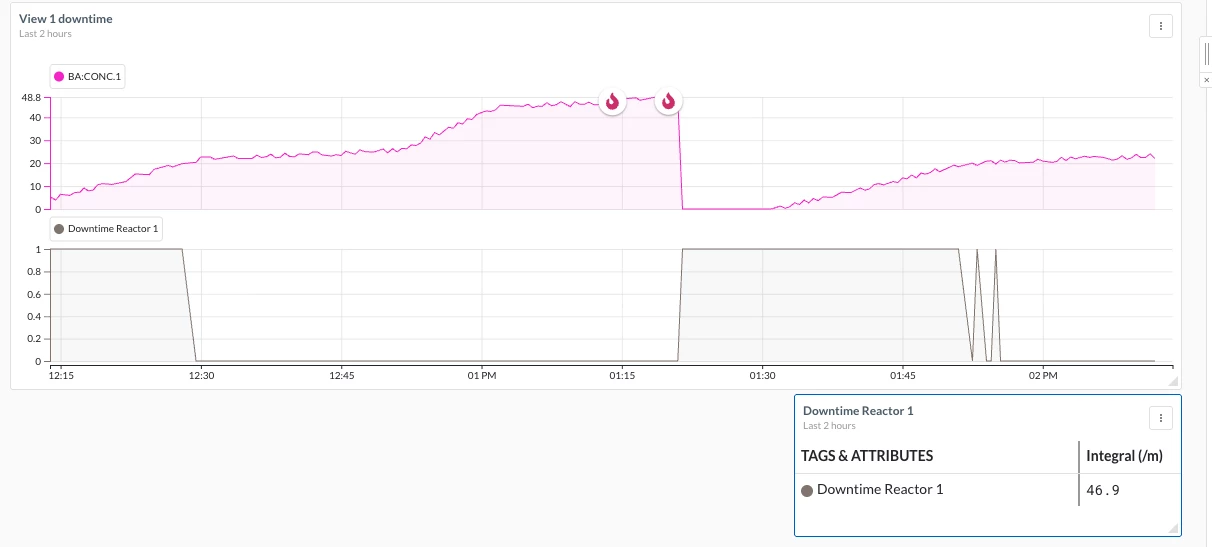
Hi, in that same dashboard you could add a TrendHub view tile like the one shown below to get the total number of minutes. For example, I’ve created the gray tag using an IF statement with a formula which is equal to 1 when there is downtime and 0 when there isn’t. For such a tag the integral calculation (per minute), will give you the total number of minutes of downtime over the selected timeframe from your dashboard global time.

Let us know if this helps or if you need assistance setting this up.