
Question

Setup of an plant asset framework in TrendMiner but it is not visible to me.

  • Oct 16, 2026 1:19 PM UTC
  • 4 replies
  • 55 views

I created an asset framework structure which I uploaded and got the feedback that it was done successfully. I smaller test framework was working properly, so I assumed it working also for the bigger one.
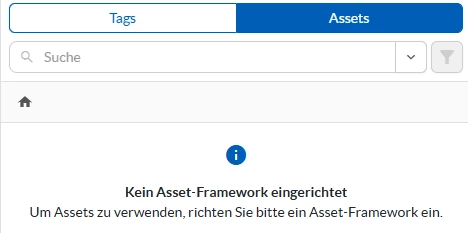


Is there some synchonisation  time needed or can there be an issue with the asset structure although giving the positive upload feedback?


4 replies

Wouter Daniels
Employee
Forum|alt.badge.img

Hi Jens,

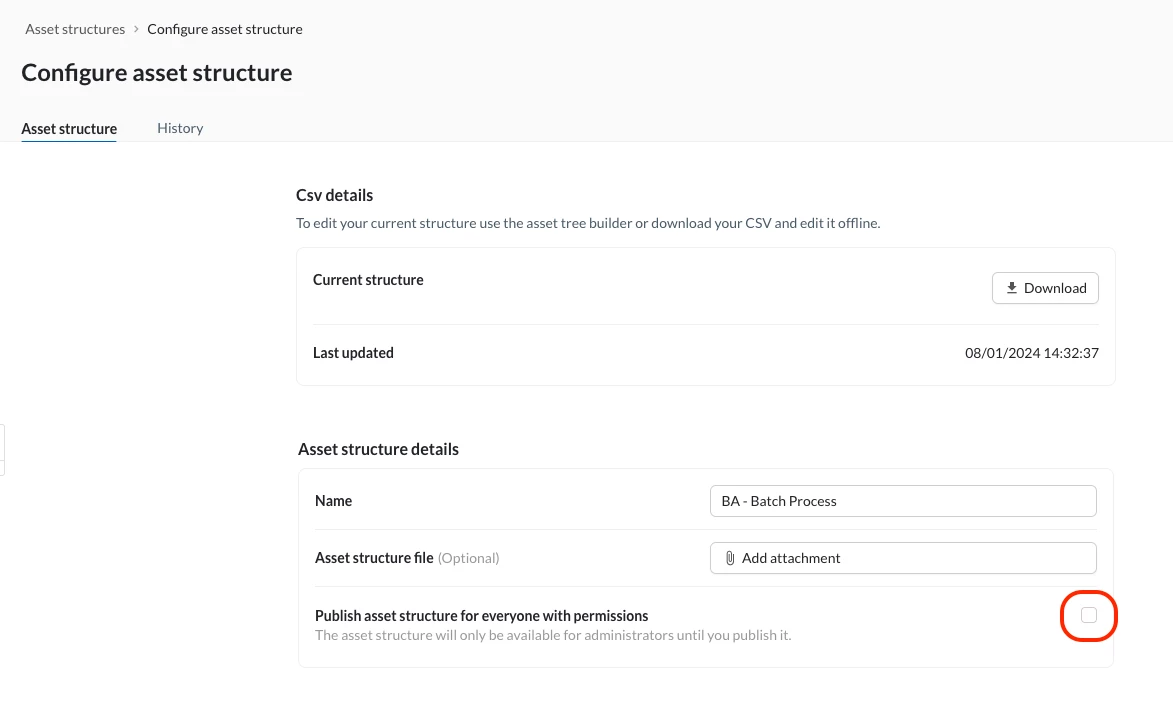
This is likely because the asset framework has not been published. An unpublished ('Entwerf') framework can only been seen by application admin users.

An admin can publish the framework from ContextHub:

The framework should be immediately available to the users (a session refresh may be required).


The `dummy` asset framework is a normal artifact within TrendMiner.


Hope this helps!


Wouter


Hi Wouter,

that seems not to be the problem. A smaller Test set worked perfectly fine, visible as asset structure in the search but with the full set I get error respectivly no structure is shown.

Maybe some questions here: If I deleted said asset structure and upload again a csv witht the identical named tags, will that create problems due to TrendMiner internal indexing remaining as artefact in the system (alike import of tags)?

We have tag names including / which are then escaped in the path as \/. Is that a problem due to inconsistency?


Update:

by deleting the said tags including “/” in there tag name I was able to successfully upload the AF and get it running. 


Forum|alt.badge.img
  • Employee
  • Oct 27, 2026 2:10 PM UTC

Hi Jens,

Thanks for the update. You don't need to delete those tags. The problem is the / in the asset or attribute name, not in the tag itself. A node name with / is rejected with "Path is not correct", escaped (\/) or not, but a tag name with / works fine in the tag column.

So keep the original tag and only replace the / in the name and the path segment:

id,path,name,description,type,template,tag,source
,"/Plant/Reactor 1/Batch on-off","Batch on-off",,ATTRIBUTE,,"Batch on/off",

The upload still reports success because valid rows are imported, while rejected rows (and all their children) only show up in the error file. You can find it via the clock icon next to Download in the asset structure configuration panel. (Userguide: The Asset Tree)

Kind regards

Frederik